How to Create a Simple Restaurant Landing Page (Without WordPress or an Agency)
A customer finds your café on Google Maps, taps the website link, and lands on a cluttered page that hasn't been updated since 2021.
The prices are wrong. The hours are off. The menu is a blurry photo of a laminated sheet. They close the tab and go somewhere else.
That's not a design problem. It's an expectations problem, and it's more common than most small restaurant owners realize.
The good news is that fixing it doesn't require WordPress (a website creation tool), a web developer, or an agency retainer.
In 2026, a simple restaurant landing page can go live in under an hour, look professional on any device, and cost nothing to maintain.
This guide walks you through exactly how to do that using momoscreen (a free tool built specifically for small food businesses).
If you run a café, takeaway, food truck, or small restaurant and you're still relying on a chalkboard, printed menus, or no web presence at all, this is for you.
Let's get started.
What a Simple Restaurant Landing Page Actually Needs
Before touching any tool, it helps to know what you're actually building.
A simple restaurant landing page isn't a full website.
It doesn't need a blog, a gallery slider, or an "About Our Journey" section. What it needs is clear, functional, and fast-loading on a phone.
The core restaurant landing page sections are:
- Your name and what you serve ****immediately, at the top
- Your menu is the most important piece of content on any restaurant page
- Key info like ****opening hours, location, how to order, or how to contact you
- A way to view the menu digitally, either directly on the page or via QR code
That's it. Everything else is optional.
Most visitors arrive with one question:
"What do they sell, and how much does it cost?"
A page that answers that question cleanly on a phone screen in under 10 seconds does its job.
Why WordPress and Agencies Aren't the Answer for Most Small Restaurants
If you have heard about WordPress, it powers roughly 43% of the web, which sounds reassuring until you try to set it up for the first time.
A bit of technical stuff: you'll need to be aware of hosting, a domain, a theme, menu plugins, and someone (a developer) to maintain it when things break.
That's before a single dish is listed.
Agencies solve the complexity problem, but create a cost problem.
A basic restaurant website from a freelancer or agency typically costs $800 to $3,000 upfront, plus ongoing fees for updates.
For a small food business operating on tight margins, that's rarely justifiable, especially when the menu changes every few weeks.
The restaurant website without a WordPress approach has matured significantly.
No-code tools now handle what used to require development skills, and some of them are purpose-built for food businesses rather than adapted from generic website builders.
momoscreen sits in this category. It's not a website builder in the traditional sense; it's a free restaurant menu and website builder designed to do one thing extremely well: get your menu in front of customers on any screen or device, with no technical setup.
What momoscreen Is (and What Makes It Different)
momoscreen is a free digital menu and signage tool built for small businesses in food and hospitality.
The core concept is simple: you build your menu in the tool, and it produces two outputs: a browser link that displays your menu on any screen, and a QR code guests can scan with their phones.
There's no app to download, no hardware to buy, and no design skill required. The layout is clean and professional by default.
Here's what makes it genuinely different from generic website builders:
- It's built for menus. Most website builders treat a menu as a single section on a larger page. momoscreen treats the menu as the product. Everything, the layout, the update flow, and the display options are designed around that one piece of content.
- Updates happen from your phone, instantly. Change a price, hide a sold-out item, or add a new special directly from your smartphone. The change goes live across every display and QR code immediately, without logging in to a laptop dashboard.
- It handles multiple display contexts. The same menu content works on a wall-mounted TV behind your counter, a tablet on the bar, and a QR code on every table. You manage one menu; it adapts to every surface.
- It translates automatically. For restaurants in tourist areas or neighborhoods with international customers, momoscreen's AI-powered translation converts your menu into up to 6 languages( English, German, Spanish, French, Portuguese, and Turkish) with a single click. No manual work, no separate versions to maintain.
- It's completely free. Not a free trial. Not a freemium tier with limited features. The full tool, including the QR menu, Landing Page builder, and multi-language support, is free with no credit card required.
How to Build Your Restaurant Landing Page with momoscreen
This section walks through the actual setup process. It's designed for someone who has never built a website or used a digital menu tool before.
Step 1: Create Your Account
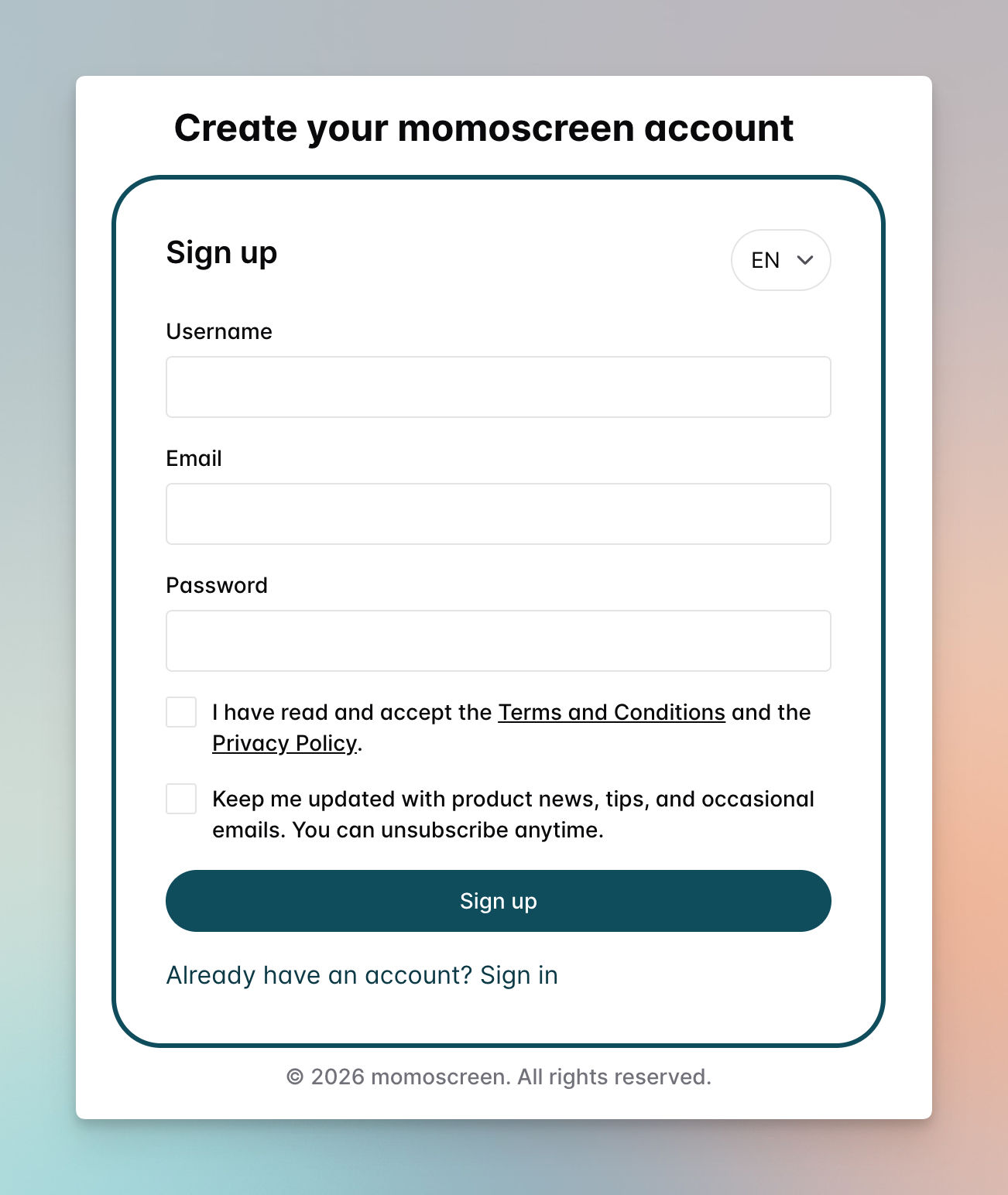
Go to momoscreen's website and sign up with an email address. No credit card, no subscription selection, no plan comparison required. You're taken directly to your dashboard.
Step 2: Set Up Your Menu Structure, QR Code, Menu, and Animated Boards
Since the article is about creating landing pages. I'm mentioning this step as optional to give you an idea of what MomoScreen can do for you.
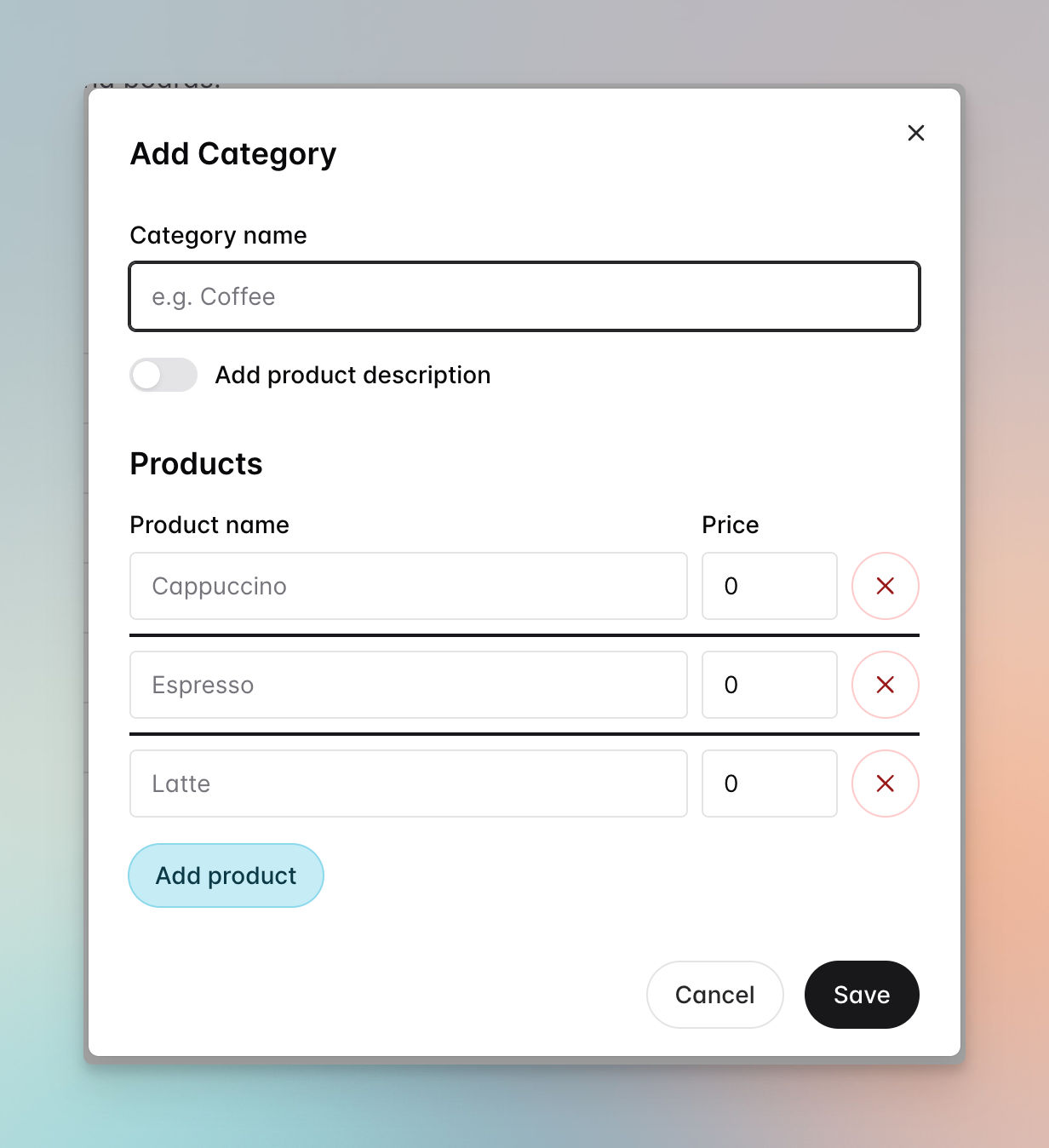
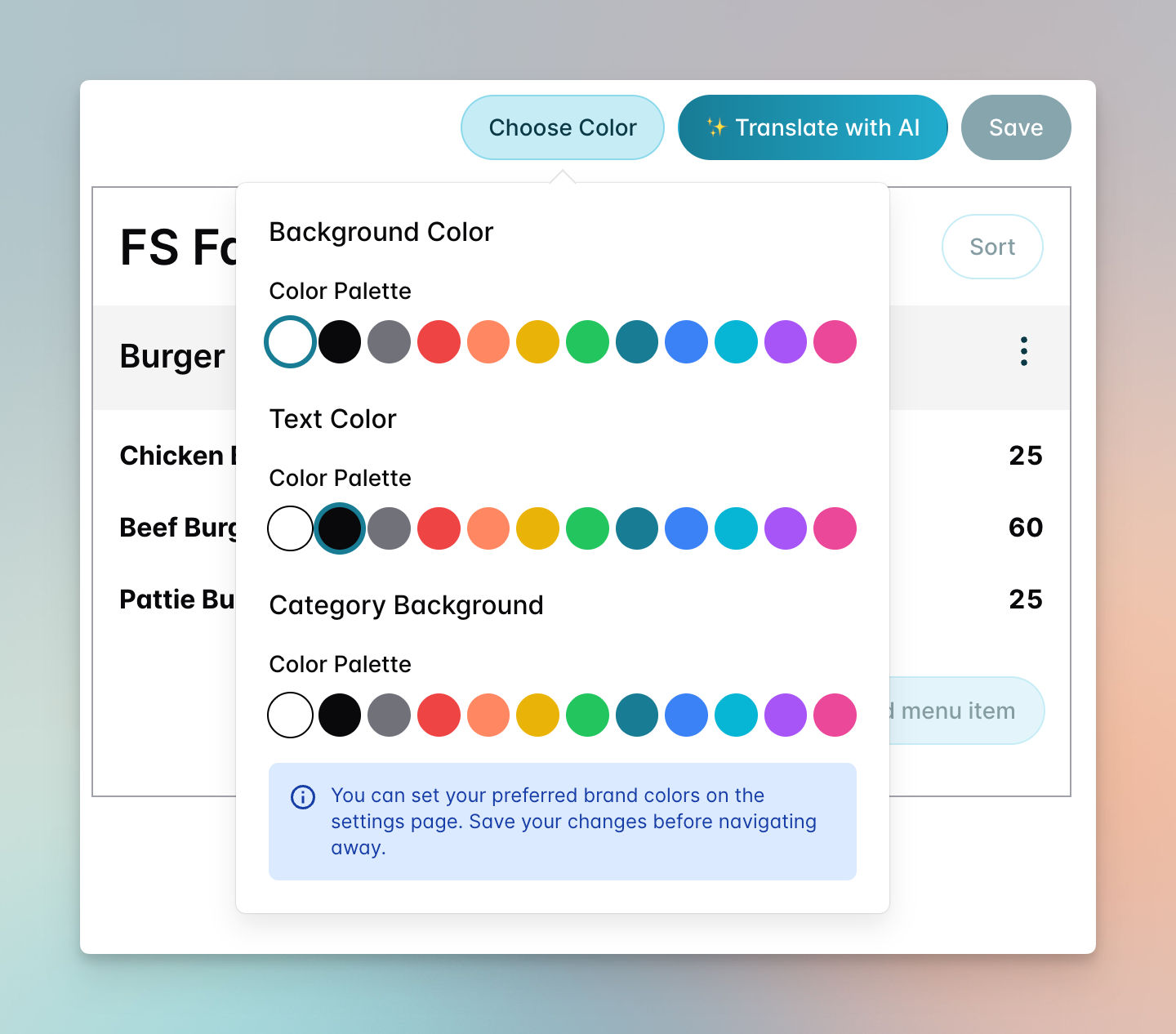
You can create product categories like Burger, then add related products, such as Chicken Burger, Beef Burger, etc.
Once categories are in place, the next step is to make a QR Code menu by selecting the categories of your choice. This feature lets you generate a QR code with a live link that you can download and display on digital signage screens, laptops, tablets, or anywhere you like, no special hardware required.
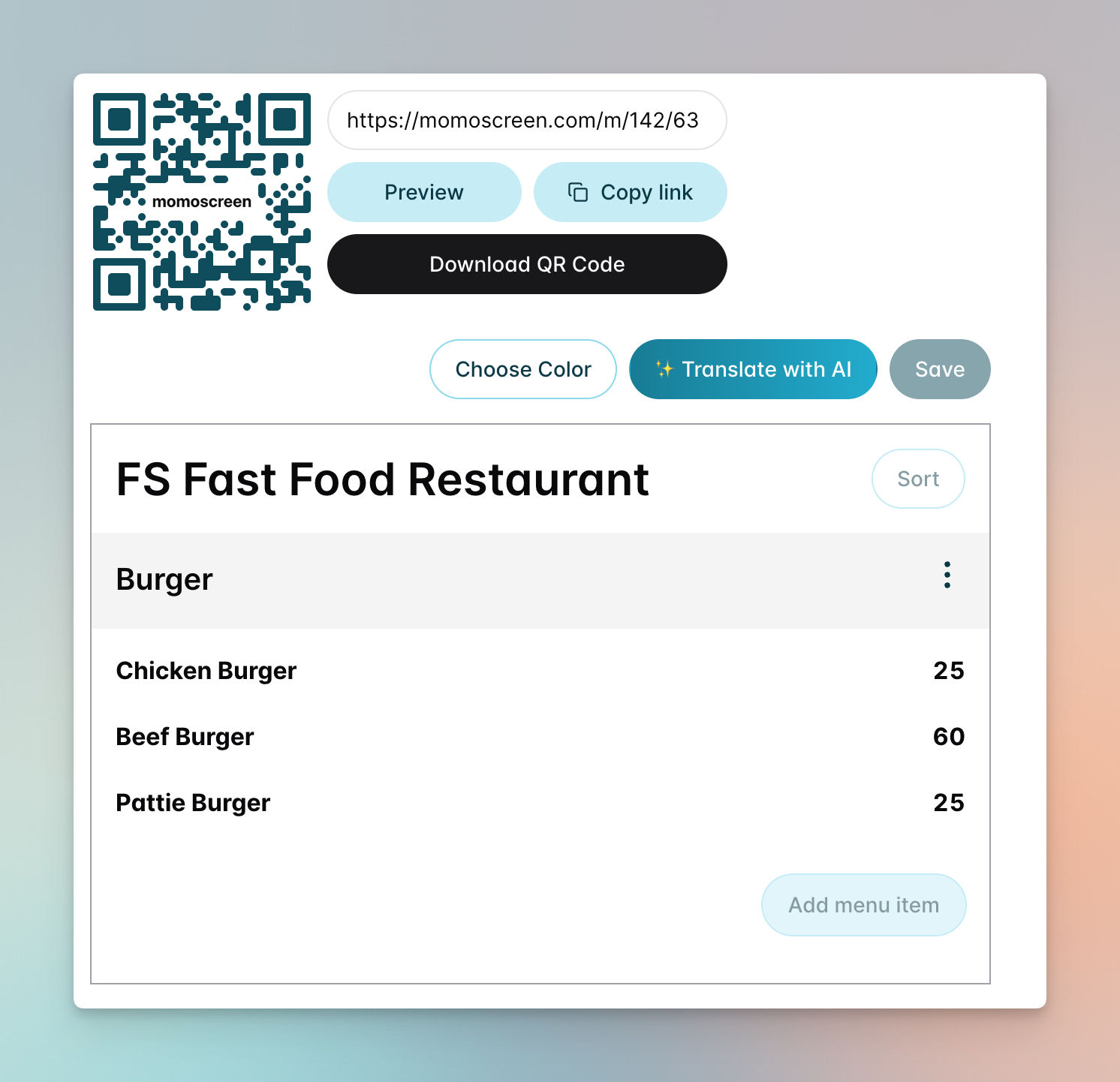
You can also customize your live menu's branding anytime, with no complexity. Not only that, but it is easy to translate the generated menu into multiple languages using momoscreen AI.
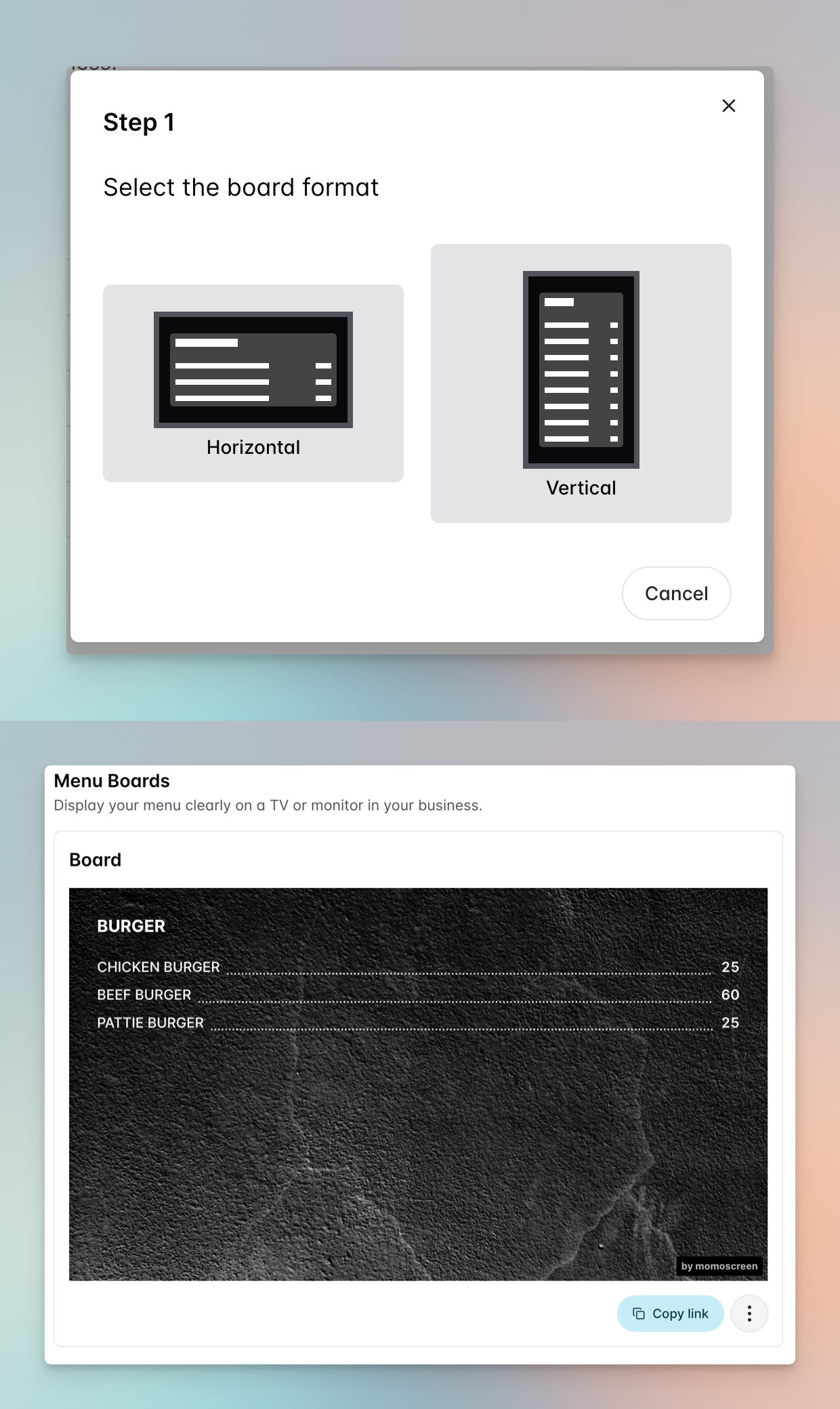
With menu boards, you can display your menu on a TV or monitor in your shop to show customers what you offer. Additionally, animated boards can help you slide and fade multiple menu slides.
Now, let's talk about the main part.
Step 3: Build a simple landing page to showcase your business.
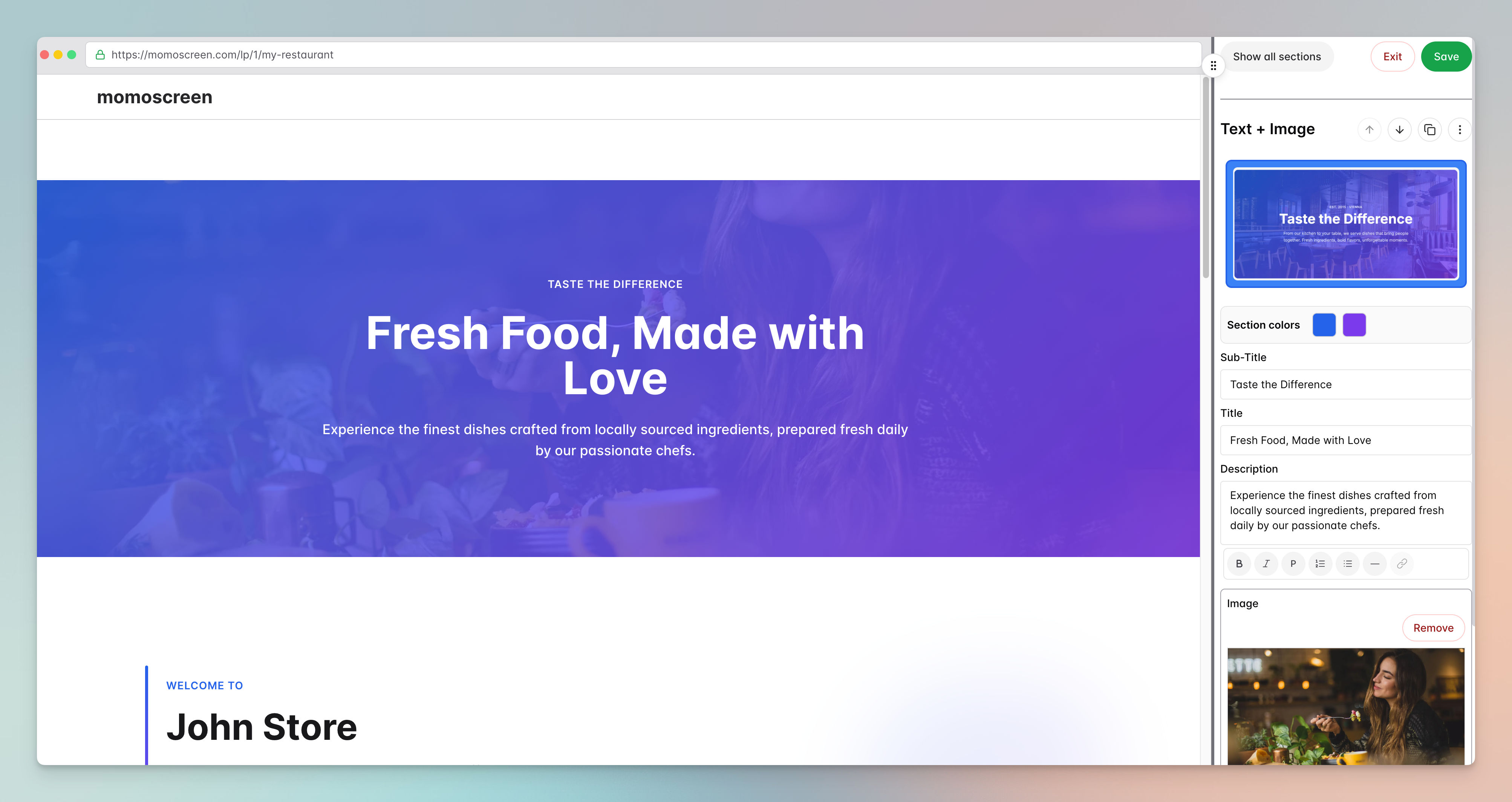
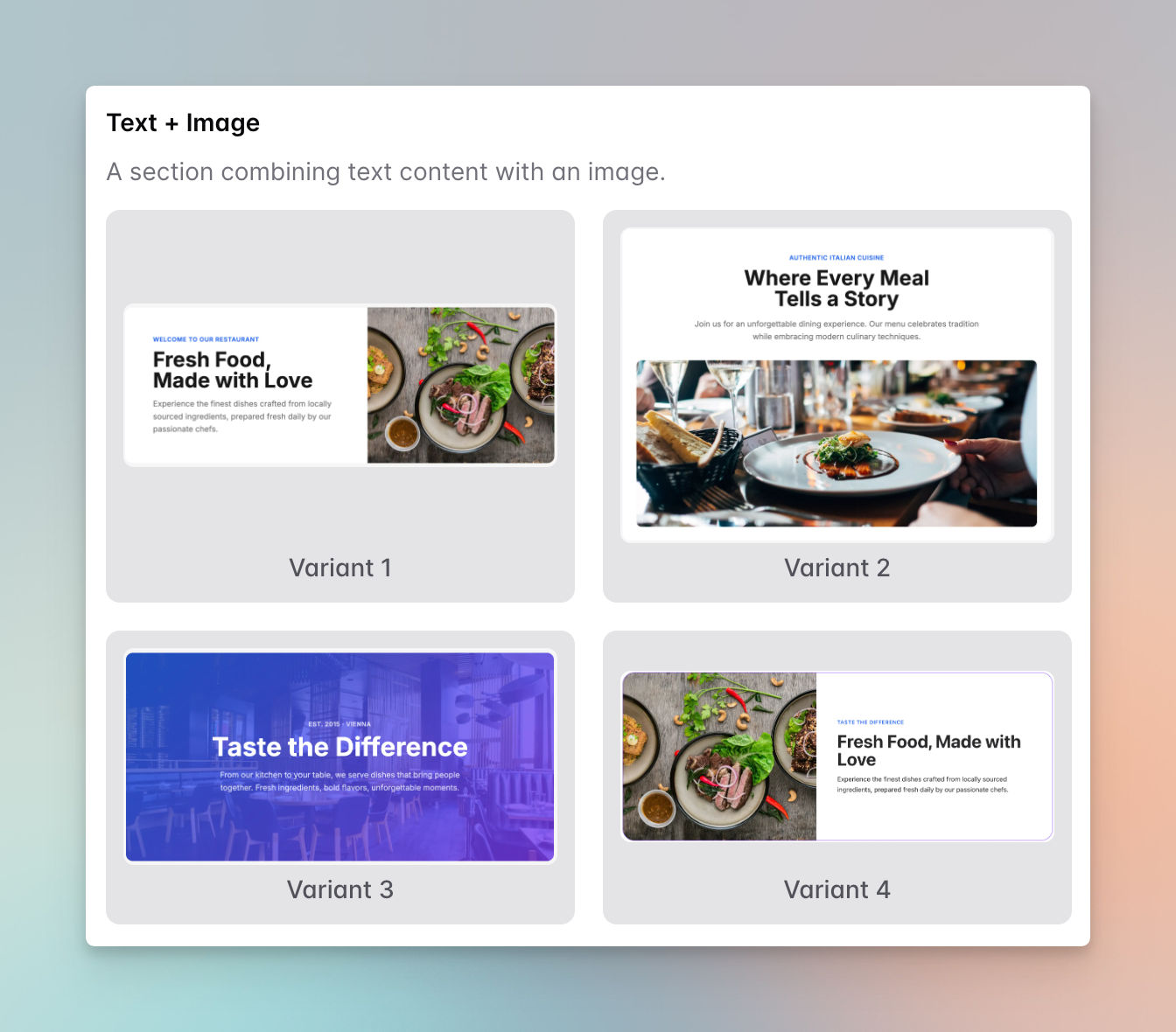
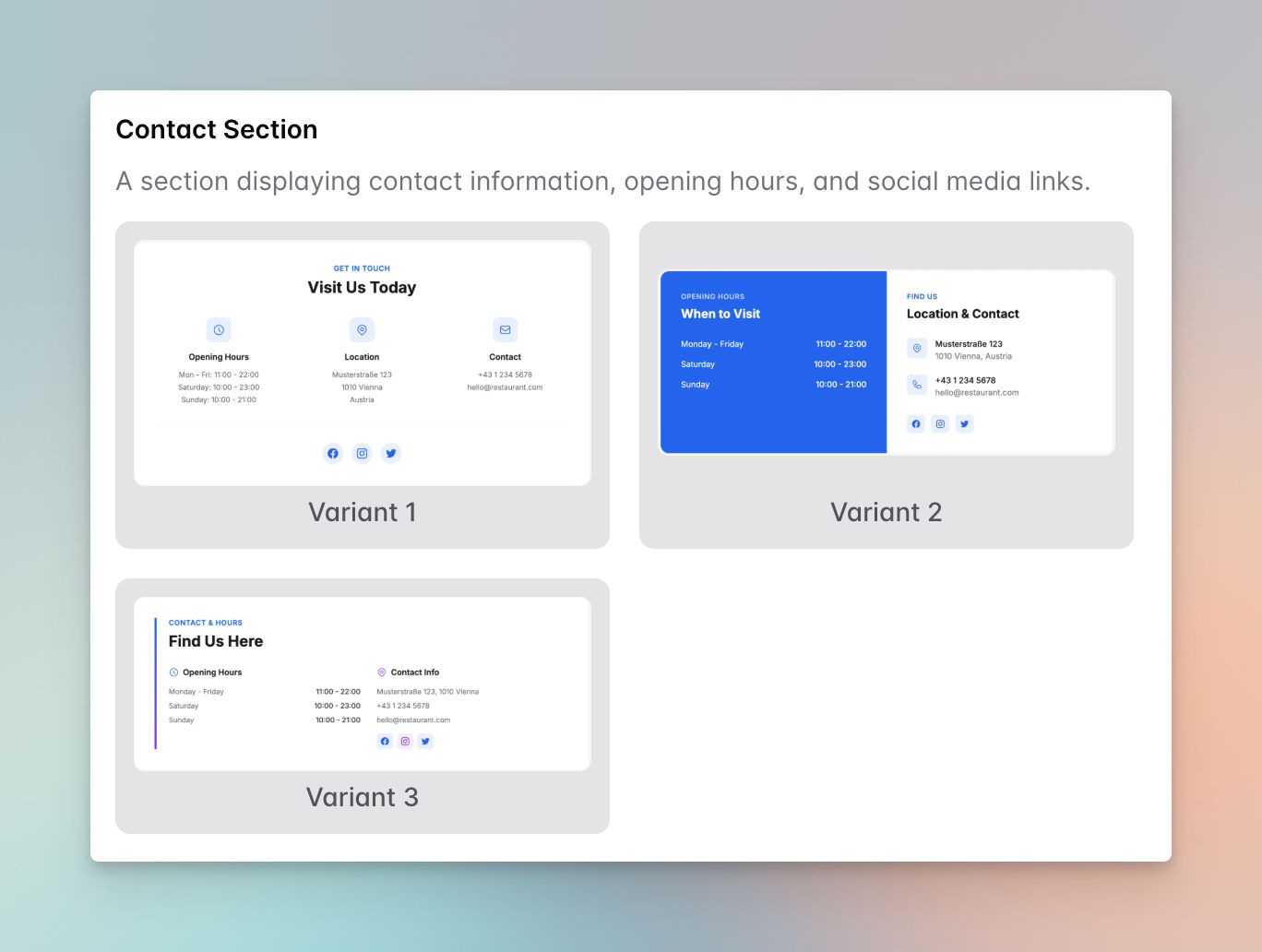
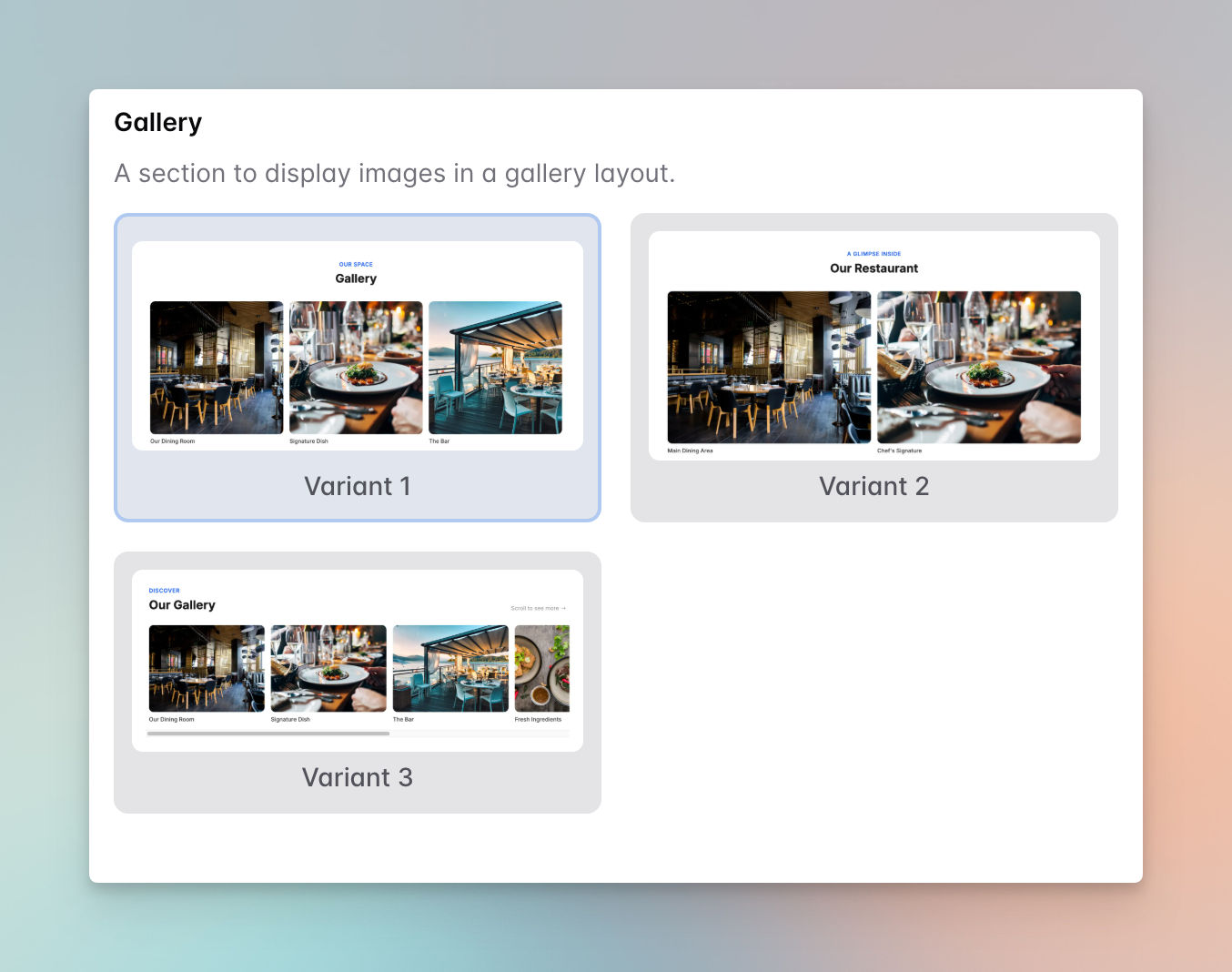
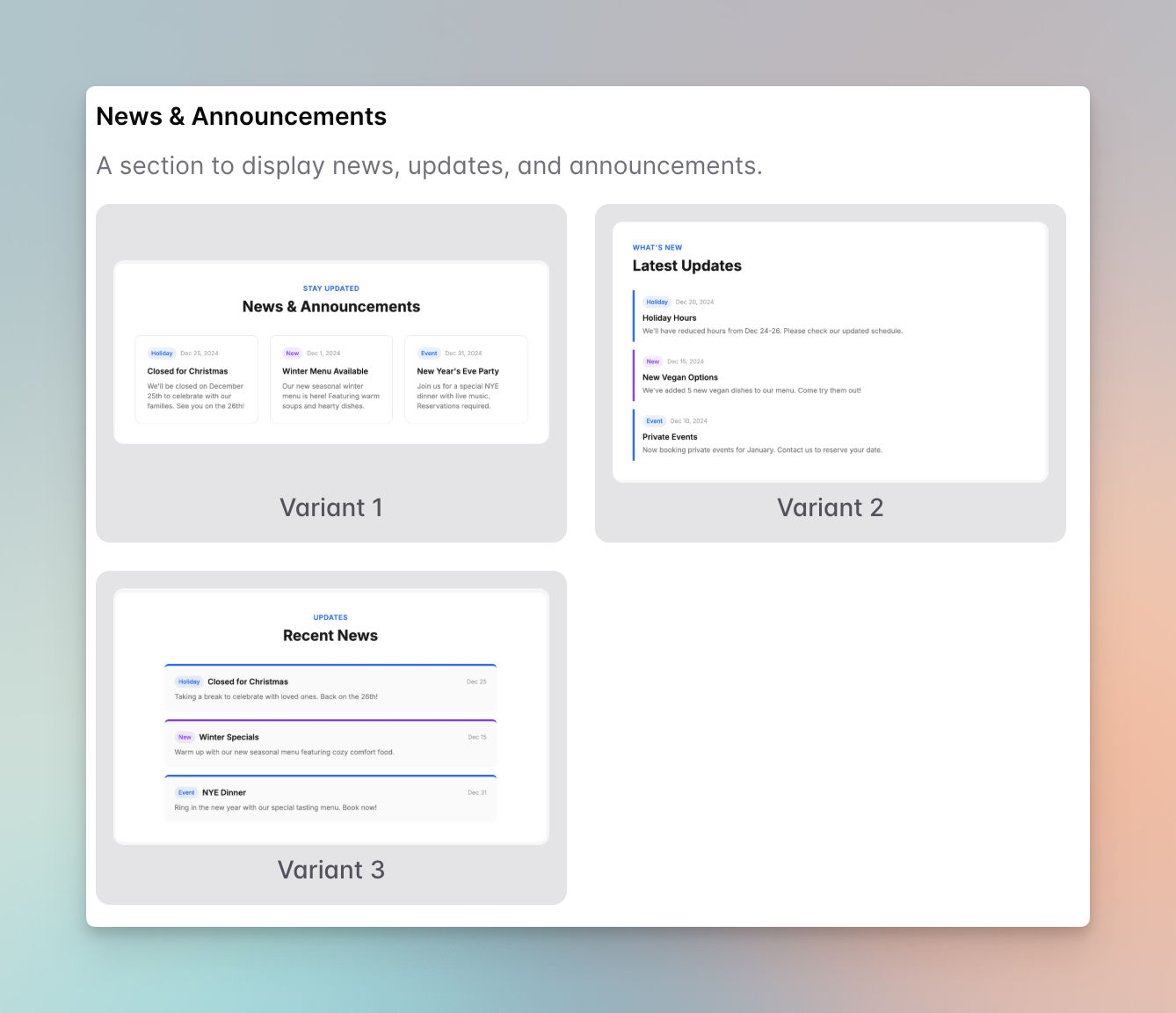
In My Page, you can create and publish a landing page for your own restaurant within a few minutes.
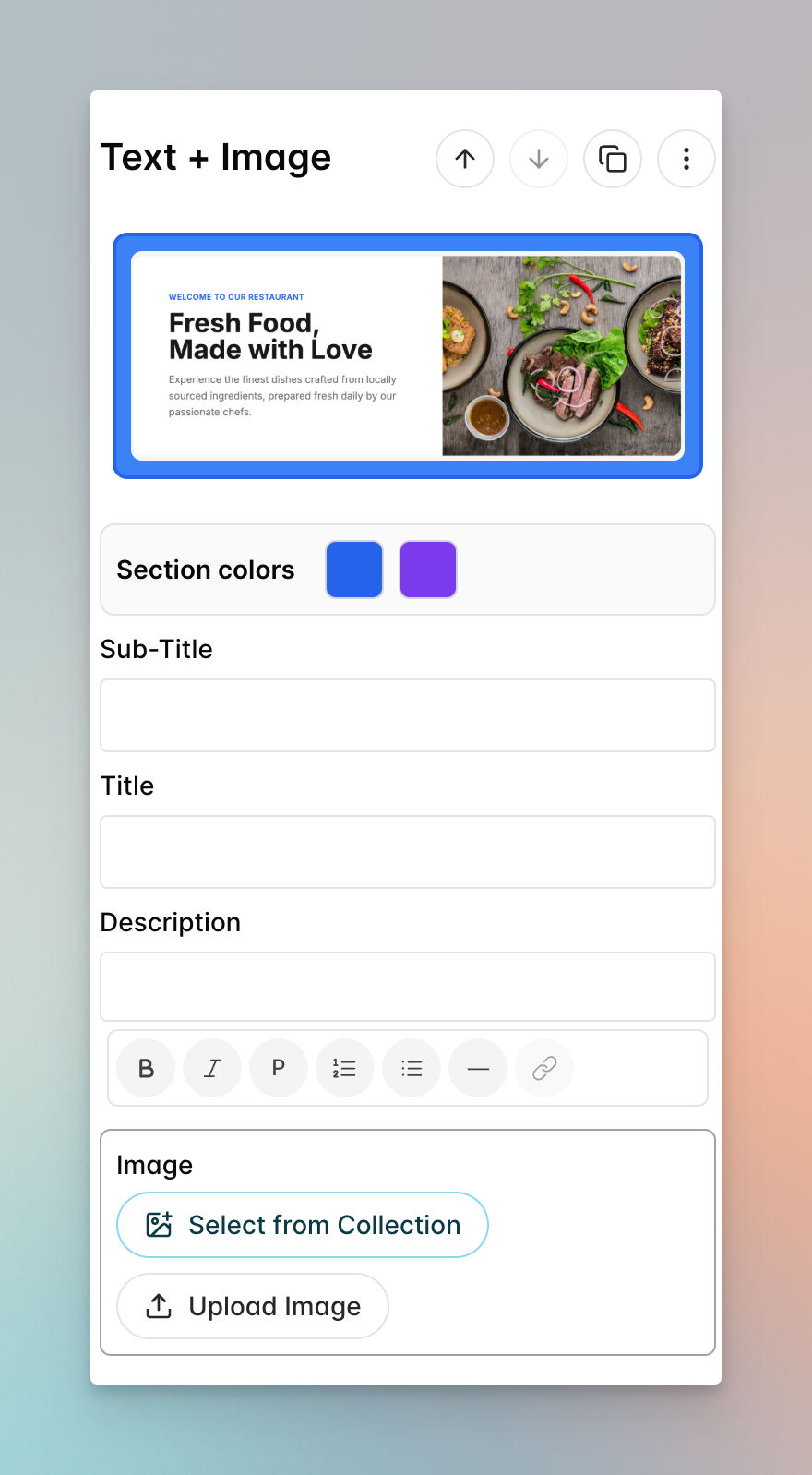
You can use and customize pre-made sections specifically designed for restaurant cases, for example:
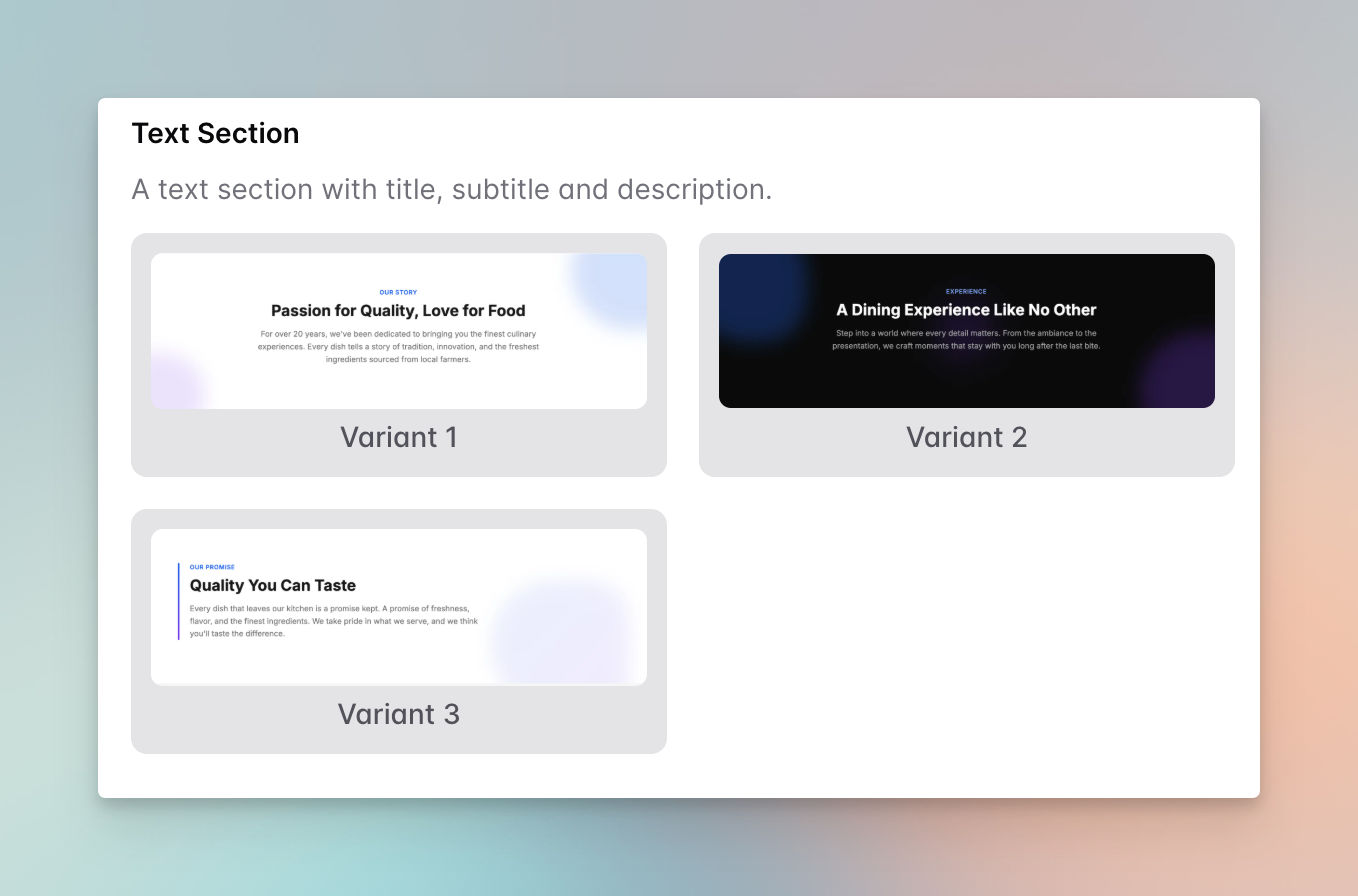
Text: A text section with title, subtitle, and description.
Text with Image: A section combining text content with an image
Contact: A section displaying contact information, opening hours, and social media links.
Gallery: A section to display images in a gallery layout.
News & Announcements: A section to display news, updates, and announcements.
You can easily customize section colors, titles, descriptions, and add images to match your brand. Not only that, but you can add as many sections as you want.
Final Words
The gap between a professional-looking restaurant presence and no presence at all has never been smaller.
What used to require a designer, a developer, and a monthly hosting bill now takes an afternoon and costs nothing.
momoscreen isn't trying to be everything. It's a focused tool that solves a specific problem, getting a small food business's menu and landing page in front of customers, accurately, on any device, without ongoing cost or technical complexity.
For the café owner who's still at the chalkboard at 7 a.m., or the food truck operator with no web presence at all, that's exactly the problem worth solving first.
Frequently Asked Questions
Do I need a special screen to use momoscreen?
No. Any TV, monitor, or tablet with a browser works. momoscreen gives you a link, you open it on whatever screen you have, and the menu displays. A smart TV, a laptop plugged into an HDMI screen, or an old tablet propped on the counter all work the same way. No dedicated hardware, no additional purchase required.
What if my guests don't speak English?
momoscreen includes AI-powered translation that converts your menu into up to 6 languages with one click. Guests viewing the QR menu can switch languages on their own device. You manage only one version of the menu; translations update automatically whenever you make changes.