Free tool
Free menu maker – create and print your menu
Add dishes and prices, pick one of 30 styles, download a PDF or print. Your menu is ready.
- Free
- No sign-up
- 30 styles
- PDF and print
1Add categories and dishes
Tips: allergens, sizes, currency
- Write allergens in the description, e.g. “Contains: gluten, milk”. Create a free allergen matrix
- A dish in two sizes? Add two lines: “Regular chips” and “Large chips”.
- Prices go on the menu without a currency. Put the currency in the footer.
Category 1
2Name and footer
Shown at the bottom of the menu, right after the name. Good for the currency or “Prices valid from …”.
3Style and columns
Choose one of the 30 styles
All styles are free. If you add the menu to momoscreen, your QR menu gets the same style.
Columns
Your menu as a QR menu too
Add your dishes to momoscreen. Your QR menu is then live, and you change prices once on your phone. Free, no subscription.
You check everything again before it's saved.
4Preview and print
The PDF works for a copy shop too. “Print” opens the menu in a new tab.
Your menu as a QR menu too
Add your dishes to momoscreen. Your QR menu is then live, and you change prices once on your phone. Free, no subscription.
You check everything again before it's saved.
Saved automatically in this browser.
How it works
Type, pick a style, print
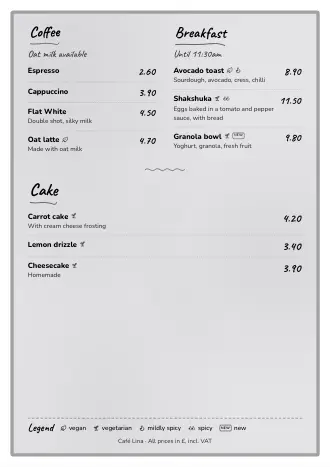
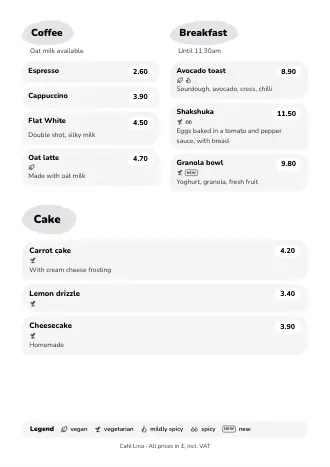
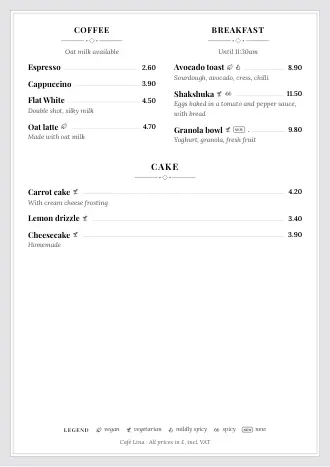
What you type appears on your A4 page. Tap a style and the whole menu gets a new look.
With a free account
Price changed? Change it once on your phone
In momoscreen, you change a price just once. Your QR menu and TV are up to date automatically, and you remake the print version with one tap.
Paper you've already printed doesn't change by itself. So after a price change, just tap “Print” or download the PDF again.
Template or account
What the menu template does and what your account adds
Both are free. The template is enough for a menu on paper. With an account, it becomes your whole menu: on paper, on phones and on the TV.
Menu template
No sign-up- 1 A4 page
- All 30 styles
- Download PDF and print
- Labels: vegan, vegetarian, organic, spicy, gluten-free, new
- Stays in your browser, nothing goes to a server
With a free account
Free too- Up to 12 pages and a cover page with your logo and opening hours
- A QR code on the paper that leads to your QR menu
- Print version and QR menu translated automatically
- Your menu as a menu board on the TV
- Table bookings in your QR menu
- Change prices once on your phone
momoscreen is completely free. No subscription, no setup fee, no hardware to buy. All features included.
All 30 styles, up to 12 pages, with a QR codeTips
Allergens, sizes, currency: how to add them
Like any good café menu template, it keeps things simple: just a few fields. Everything else still fits on your menu.
Allergens
Write them in the dish description, e.g. “Contains: gluten, eggs, milk”. Make the matching allergen chart with our second free tool.
Create a free allergen matrixSizes
A dish in two sizes? Add two lines, each with its own price.
Currency and “valid from”
Prices go on the menu without a currency sign. Put the currency or “Prices valid from …” in the footer.
Questions
Questions about the free menu maker
Your question isn't here? Send us an email at info@momoscreen.com.
Is the menu template really free? Do I need an account?
Yes, it's free, and you don't need an account. Add your dishes, pick a style, download a PDF or print. You only need an account if you want to add your menu to momoscreen. That's free too.
How many pages can my menu have?
One A4 page in the template. If it gets tight, turn off the descriptions or use 2 columns. With a free account, your menu can have up to 12 pages and a cover page with your logo and opening hours.
Where is my menu saved?
Only in your browser, on this device. We don't send anything to a server. If you clear your browser data or switch devices, the draft won't be there. To be safe, download the PDF.
How do I show the currency on my menu?
In the footer, e.g. “All prices in £, incl. VAT”. The prices themselves have no currency sign. In momoscreen too, prices show without a currency sign, just as you type them.
Where do I add allergens?
In the dish description, e.g. “Contains: gluten, eggs, milk”. There's no separate allergen field. You can make the matching allergen chart for free with our allergen matrix template.
A dish comes in two sizes. How do I add it?
As two lines, each with its own price, e.g. “Regular chips” and “Large chips”.
Can I change my menu in momoscreen later?
Yes. Tap “Add to momoscreen (free)”, create a free account and check your dishes. After that, you change dishes and prices in the app: your QR menu is up to date automatically, and you remake the print version with one tap.
Can I put my logo on the menu?
Not in the template. With a free account, your print version gets a cover page with your logo, your opening hours and a QR code to your QR menu.
Print or PDF: what's the difference?
“Print” opens your menu in a new tab and sends it to your printer. The PDF is a file: to save, to send or to take to a copy shop.
Your menu, up to date everywhere
With the free account, your template becomes a QR menu, a menu for your TV and a print version you remake with one tap.
No subscription · No setup fee · All features included